










YOUR KEY, YOUR JOURNEY
How to choose a car key that matches your vehicle
Start with the key specifications, then compare the product. A similar shape or the same vehicle name is not enough to establish compatibility.
Start with the vehicle
Record the vehicle make, model and model year. Use Find My Key or the vehicle selector to narrow the catalog. If your exact model or year is missing, ask our team rather than choosing the nearest-looking result.
Tell us whether the vehicle was imported from another market. The country where you are ordering and the market for which the vehicle was built can be different; share both when requesting assistance.
Compare the electronic identifiers
Check the part number or OEM reference, FCC ID when present, frequency, chip and key type shown on the product page. Compare the available identifiers with your existing working key. A matching battery code or button count alone does not confirm that the electronics match.
Check the physical details
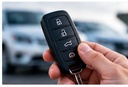
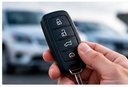
Compare the button layout, blade, shell shape and dimensions. This is especially useful when buying a cover or empty shell, but the physical match does not replace the electronic checks for a complete remote or smart key.
Plan cutting and programming before purchase
Ask what the selected product requires: blade cutting, electronic programming, transfer of existing parts, or no programming at all. Confirm who will perform the work and whether the vehicle and an existing key need to be present. Do not assume that every key can be paired at home.
Send a clear compatibility request
Send the product link with your vehicle details and clear photos of the existing key. You can request help without publishing a full vehicle identification number on a public page. If more information is needed, our team can explain what to provide privately.
- Vehicle make, model, model year and original market if known.
- Key photos, visible part number and FCC ID if available.
- The product link and your country and city.
Ready for the next step?

To install this Web App in your iPhone/iPad press
 and then Add to Home Screen.
